
Payment Flow Issues in USD Stripe Option on Blocklet Launcher

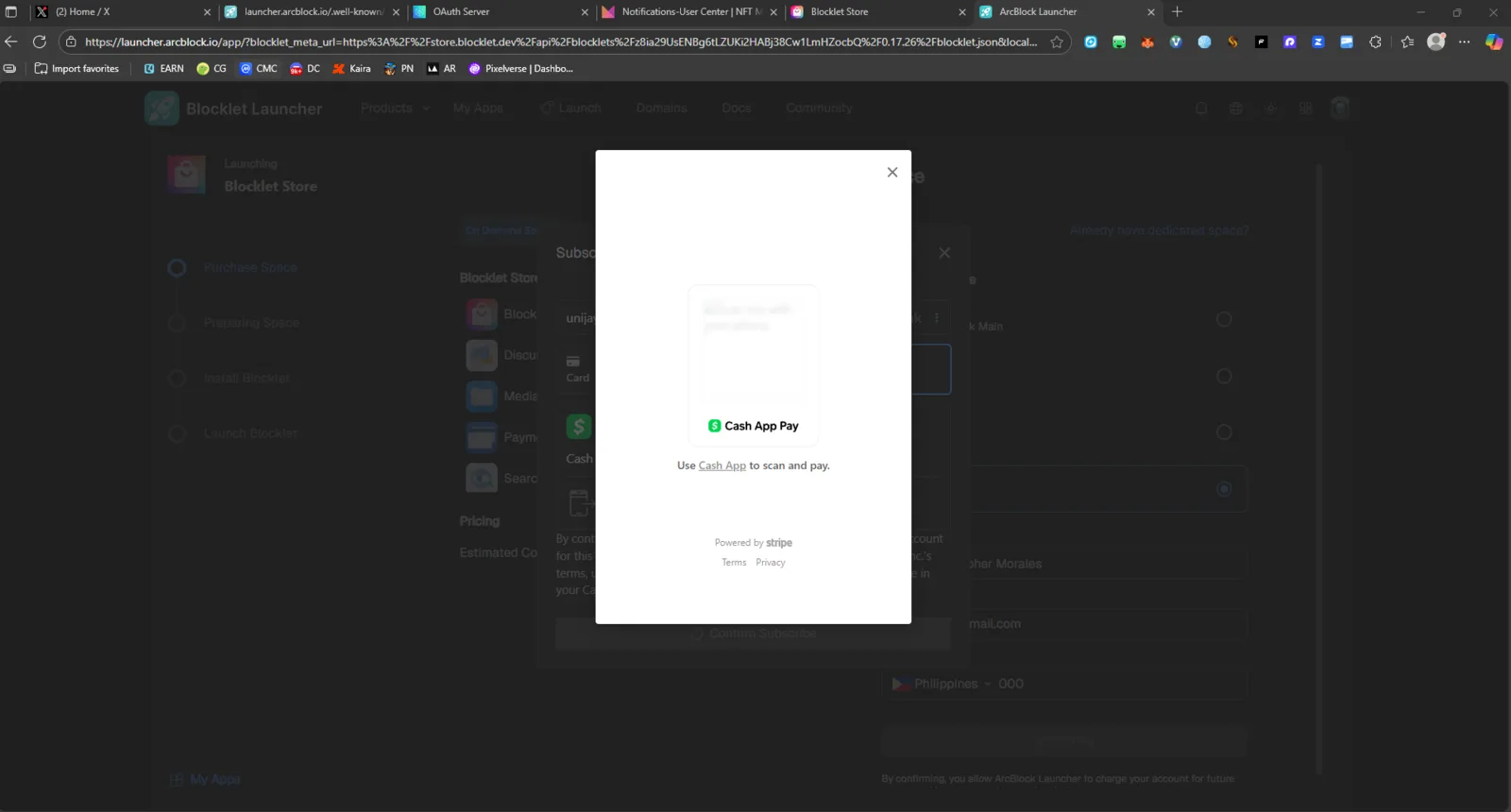
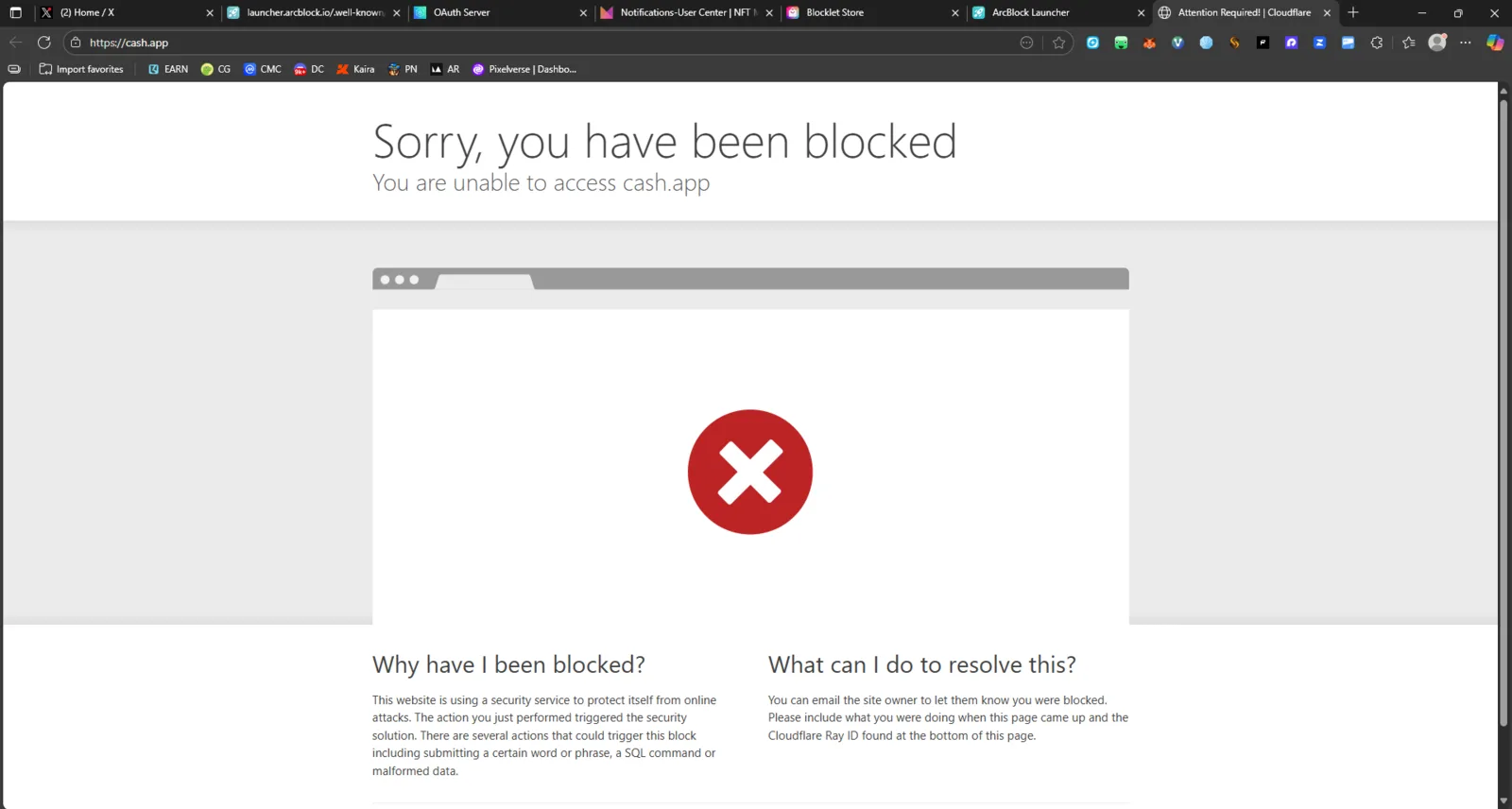
🌐 Platform: https://launcher.arcblock.io ⚙️ Severity: High 💡 Category: Payment / Integration / UI-UX
🧩 Description:
When selecting USD (Stripe) as a payment option in Blocklet Launcher, users encounter two major issues:
- No QR code is provided for payment scanning.
- When clicking Cash App, an error message appears: > ❗ “Sorry, you have been blocked. You are unable to access cash.app.” >
These issues prevent successful payment completion.
🪜 Steps to Reproduce:
- Go to https://launcher.arcblock.io.
- Choose a subscription or service that requires payment.
- Select USD (Stripe) as the payment method.
- Observe the following:
- No QR Code appears for scanning payment.
- Clicking the Cash App option displays an error page with the message: > ❗ “Sorry, you have been blocked. You are unable to access cash.app.” >
✅ Expected Result:
- A QR Code should appear for quick and easy mobile payment.
- Clicking Cash App should redirect the user to a working payment gateway without restrictions.
- Payment should process successfully through Stripe or Cash App.
❌ Actual Result:
- ❌ No QR code is shown.
- ❌ Clicking Cash App results in: > ❗ “Sorry, you have been blocked. You are unable to access cash.app.” >
- User cannot complete the transaction.
⚠️ Impact:
- Users are unable to pay or renew subscriptions using USD/Stripe method.
- Breaks the checkout flow for international and US-based users.
- Potential loss of revenue due to failed payment completion.
🔍 Possible Cause (Hypothesis):
- Missing or misconfigured QR code generation component in Stripe’s integration layer.
- Cash App link possibly blocked by regional or CORS restriction.
- Could be a Stripe dashboard setting or redirect URL mismatch preventing payment initialization.
🧰 Suggested Fix:
- Ensure QR code is dynamically generated and displayed for all Stripe payments.
- Verify Cash App integration endpoint and region accessibility.
- Handle access denied / blocked errors with a fallback or user-friendly message.
- Add payment verification logs for debugging.
2 replies
Seems the payment request is blocked by cash.app, this is a third party service.
I suggest adding features to auto-remove Cash App as a payment method if the user is not in the list of eligible countries