
Missing Token Logos in DID Wallet Desktop

🧾 Description
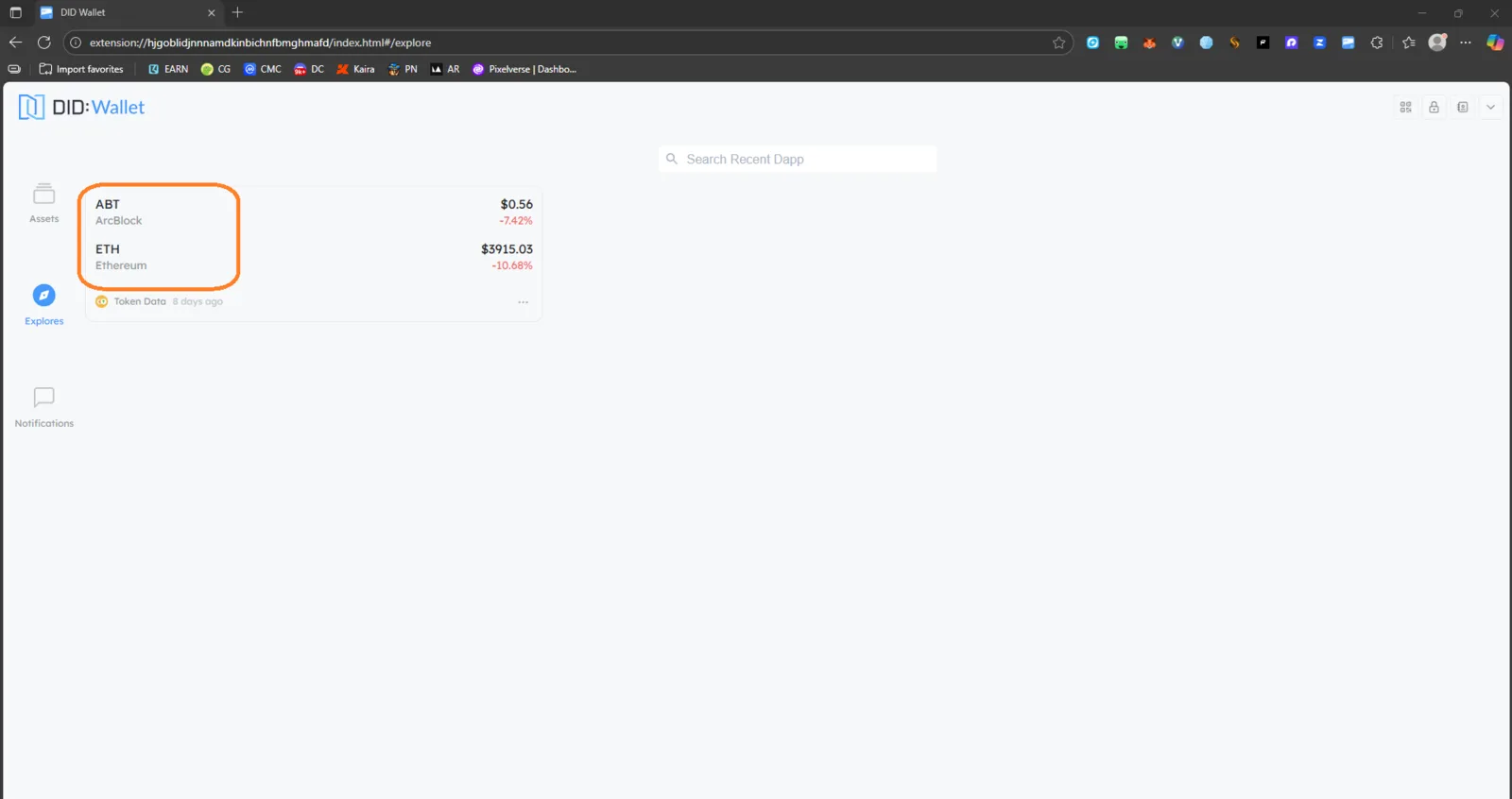
When viewing the asset list in the DID Wallet’s Explore tab, token logos (e.g., ABT, ETH) are missing. The wallet displays only the token names, symbols, and price data — but no icons representing the tokens.
🔁 Steps to Reproduce
- Open DID Wallet on desktop (extension mode).
- Go to the Explore or Assets tab.
- Observe the asset cards for tokens such as ABT and ETH.
✅ Expected Behavior
Each token (ABT, ETH, etc.) should display its corresponding logo/icon beside the token name for clear identification.
❌ Actual Behavior
- Token logos are not displayed.
- Only text (token name and value) appears.
- The UI feels incomplete or visually inconsistent.
🧰 Environment
- Platform: DID Wallet (Browser Extension / Desktop)
- OS: Windows 11
- Browser: Chrome 141.0.0.0
- Reproducibility: 100%
- Network: Stable connection
📊 Impact
- Severity: Minor
- Priority: Medium
- User Experience Impact: Visual clarity and usability affected. Users may find it harder to distinguish tokens at a glance.
🧠 Suggested Fix
- Ensure token metadata includes icon URIs fetched from a reliable source (e.g., ArcBlock asset registry or CoinGecko).
- Add fallback icons for tokens without available logos.
- Cache token logos locally for faster UI rendering.
2 replies
Thank you for your feedback! This is working as intended, not a bug. The feature isn’t supported for now, and there are no near‑term plans to add it.
Ok