
Password Reset Page Error Message- Cannot read properties of null (reading 'words')

When creating a new password, once the form is filled in and the Next button is pressed, the following error message is displayed.
'Cannot read properties of null (reading 'words').'
Both fields were filled in with matching strings.
Note that as it did not appear to be working I pressed the back button to return to the DID wallet homepage - where I was prompted for my password. The newly created password was accepted, so despite the error message, the inputted form data is being saved.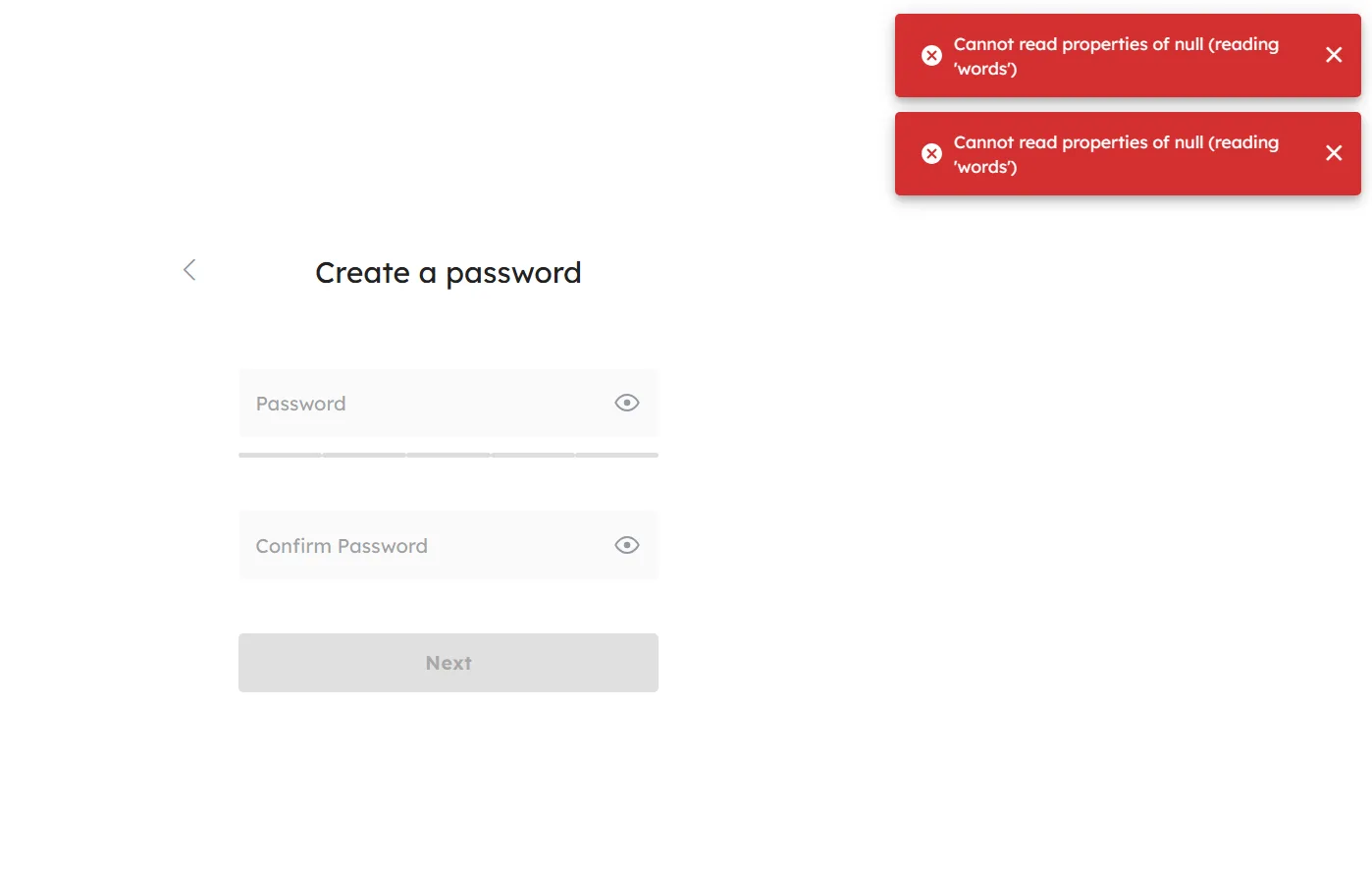 /
/
4 replies
Hello bro, can you describe your actions in detail? For example, where is the entry point for the operation? Then, after changing the password, did the page not redirect and directly display an error?
Are you creating a new wallet? Have you created a wallet before?
Hi there, sorry for the slow response.
This happened just as I started using the did wallet. I had just created the default did wallet. I then wanted to change the password to my account. I'm not sure exactly what the entry point was. I've tried to recreate it but the only area of the site I can find the 'Change Password' option on is on 'Settings' -> 'Change Password'. However, I was on a full screen window when the error occurred, not the pop-up window which comes from this button (attached). If you know another method to reach a Change Password screen I can try again to replicate it. Sorry I can't be more helpful.
Essentially I wrote a new password, press submit, and the screen refreshed, and cleared the fields. As I was still on the 'Change Password' page, I was expecting a message to say my password was the incorrect length or something similar. However, instead there was just the error message above. I expected from this that my password had not been saved, and so entered a second, different password and pressed submit. I was greeted with the same error.
I then closed the tab and tried to log back in on the extension. The latest password I entered worked so it seems to form data was saved.
It brings inconvenience to your use. I will correct this problem as soon as possible