
No Notification When User Successfully Generates Image

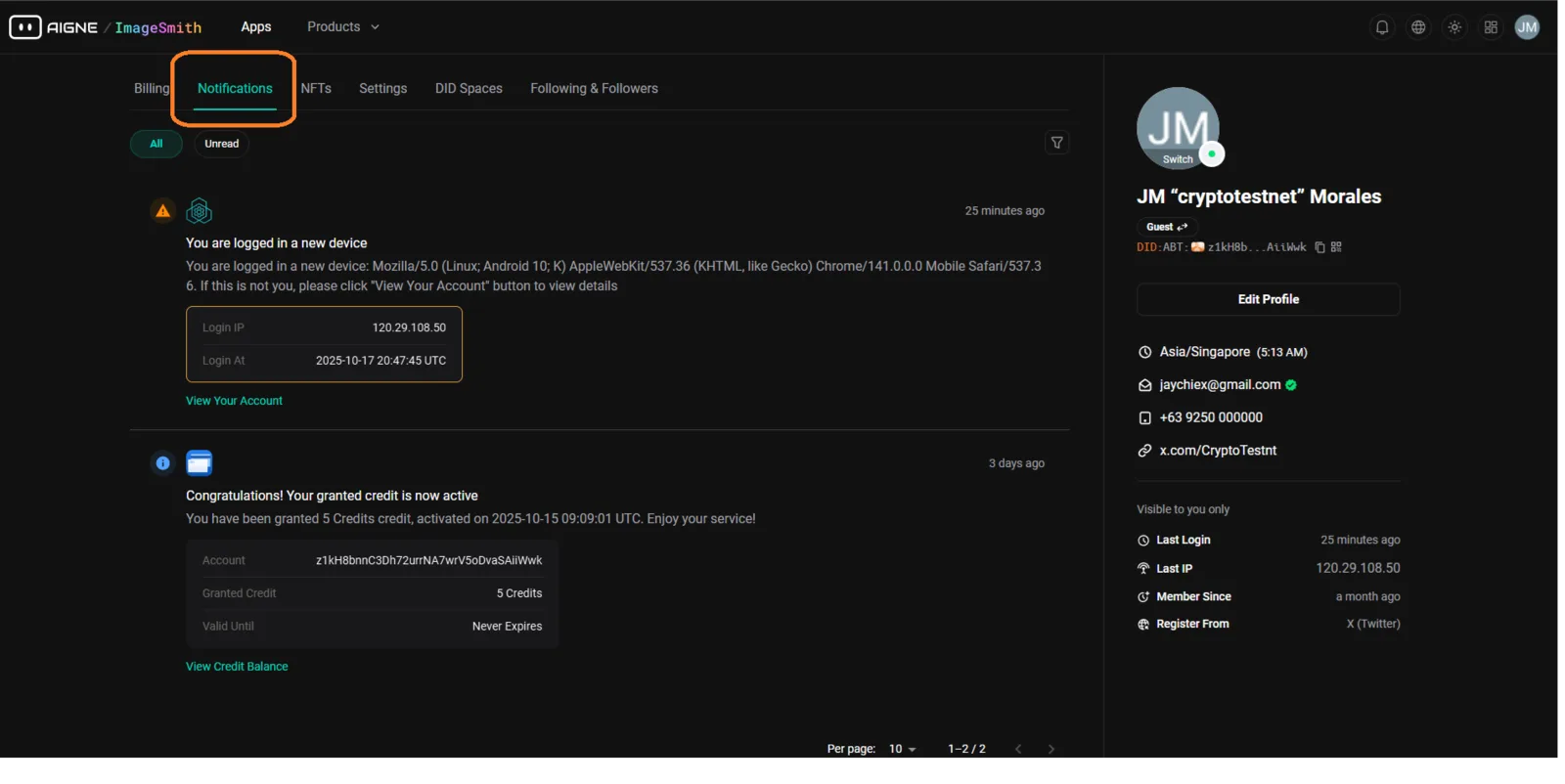
🧾 Description
After a user successfully generates an image on ImageSmith, no notification is displayed to confirm that the process has completed successfully.
This can cause confusion, as users may not know whether the image generation finished or failed—especially when server responses are delayed.
🔁 Steps to Reproduce
- Go to https://imagesmith.aigne.io.
- Generate any image (e.g., using “Illustration to Figure” or similar tools).
- Wait for the image to finish generating.
- Observe that no success notification appears in the notification center or browser alert.
✅ Expected Behavior
- After a successful generation, a notification should appear (e.g., “✅ Your image was generated successfully!”).
- The notification should include a link to view or download the generated image.
❌ Actual Behavior
- No success message or notification is displayed.
- The user must manually check whether the generation result appeared on the page.
🧰 Environment
- Platform: ImageSmith Web App
- Browser: Chrome (Latest Version)
- Device: Desktop (Windows 11)
- Reproducibility: 100%
- Feature: Notification System
📊 Impact
- Severity: Medium
- Priority: Medium
- Impact: Users may become uncertain if the process worked, possibly triggering unnecessary retries or page refreshes.
🧠 Suggested Fix
- Implement a success notification event trigger once the image generation API response is received.
- Add notification types such as:
- ✅ Success — image generated
- ⚠️ Warning — slow generation
- ❌ Error — failed generation
- Ensure notifications appear in both desktop and mobile interfaces.