
English Language Selection Not Working on ArcBlock HR Assistant Docs

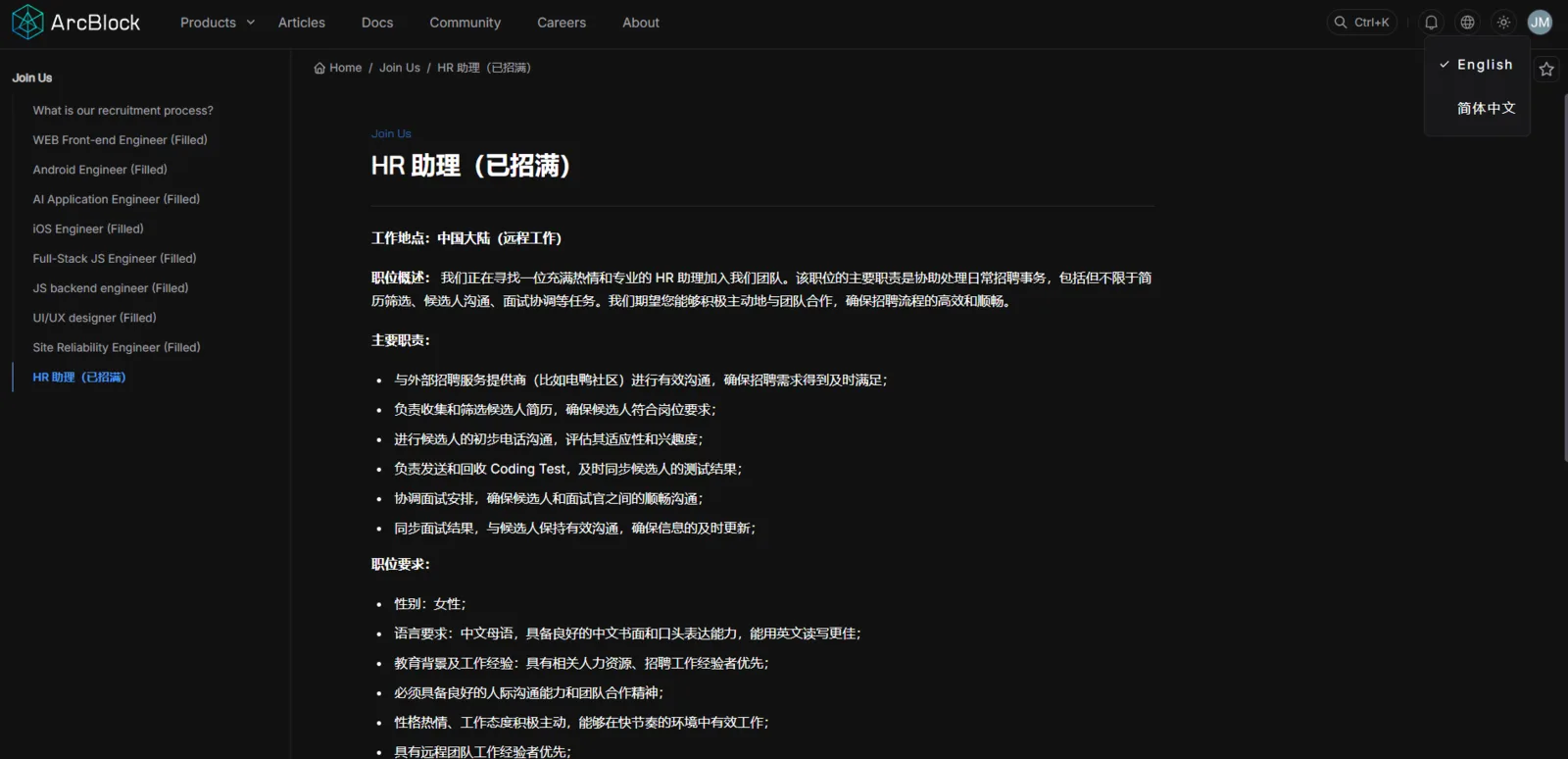
On the ArcBlock Documentation site, specifically the HR Assistant page (https://www.arcblock.io/content/docs/arcblock/en/hr-assistant), selecting English language does not properly switch the content to English. The page remains in another language or partially untranslated.
Steps to Reproduce:
- Open ArcBlock HR Assistant Docs.
- In the language selector, choose English.
- Observe the displayed content.
Expected Result:
- When English is selected, the entire page content should be displayed in English.
Actual Result:
- Selecting English does not work as intended.
- Page content remains in another language or is inconsistently translated.
Bug Description: The language toggle is broken or misconfigured on this documentation page. The issue may stem from:
- Missing translations in the backend.
- Incorrect locale mapping (
ennot applied properly). - Cached or hardcoded content overriding language switch.
Severity Classification:
- Severity Level: 🟠 Medium (accessibility/UX issue).
Suggested Fix:
- Verify that English translations exist for HR Assistant docs.
- Ensure correct locale mapping (
/en/) in routing. - Test across all supported languages to confirm functionality.
- Add fallback mechanism to display at least partial English translation if missing.
Priority: ⚠️ Medium – Important for accessibility and developer support.