
How to find my Github Token and Slack_webhook?

I am going to add the Discuss-kit to CALL (callfordive.com). However, the system requires me to fill the environment information.
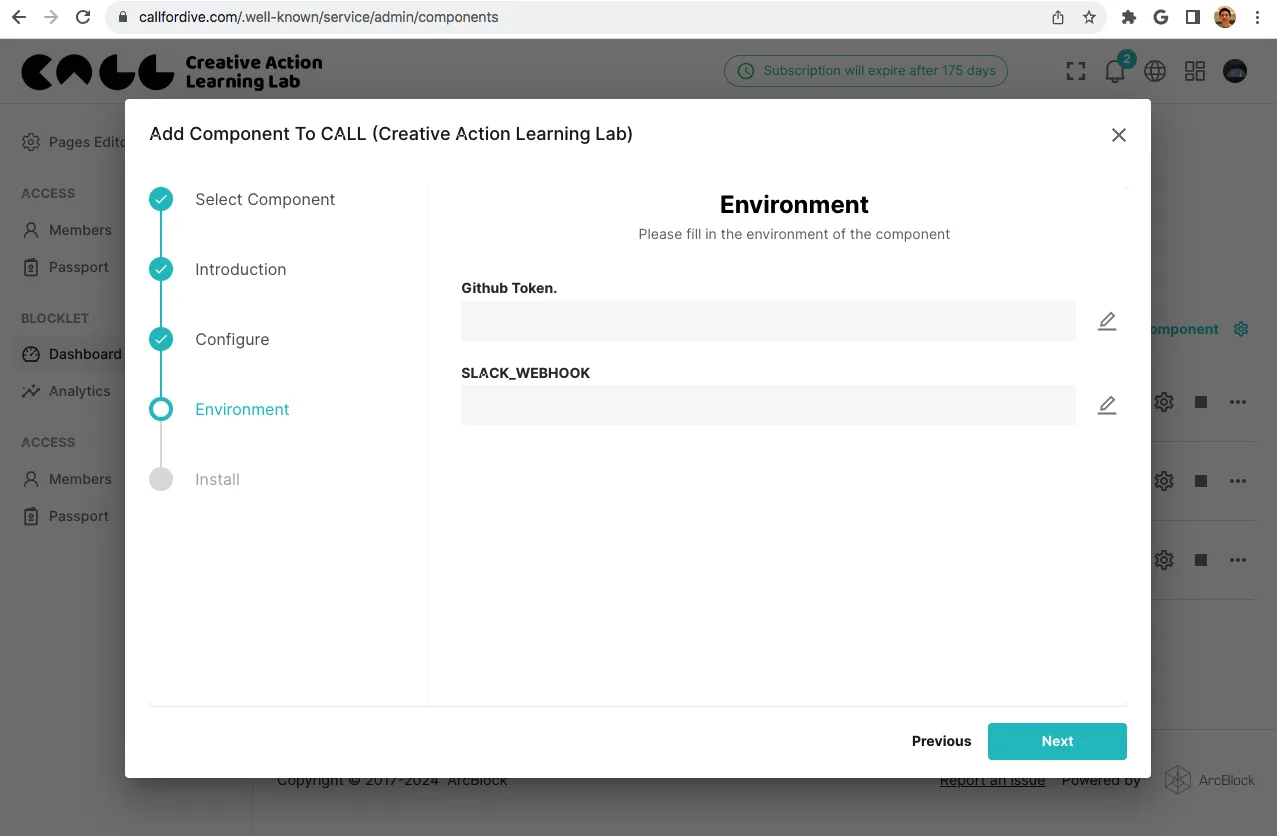
Where are my Github Token and Slack_webhook?
How to find such information?
Thanks!
4 replies
Slack token:
Token types
GitHub token:
https://docs.github.com/en/authentication/keeping-your-account-and-data-secure/managing-your-personal-access-tokens
Thx!
The GitHub token and Slack webhook are optional environment variables in the Discuss Kit setup. The GitHub token is used to embed/preview a GitHub issue link, and the Slack webhook is used to send notifications to a slack channel when new discussions are started. If you don't need these functionalities, you may leave these fields empty.
However, if you wish to use these features, you can generate a GitHub token from your GitHub account settings, under the 'Developer settings' > 'Personal access tokens'. For the Slack webhook, you can create one in your Slack application settings in the 'Inbound Webhooks' section.
Wow! This is very helpful! I didn't know that was optional. It would be nice if the interface could display this information.